
Screenshots
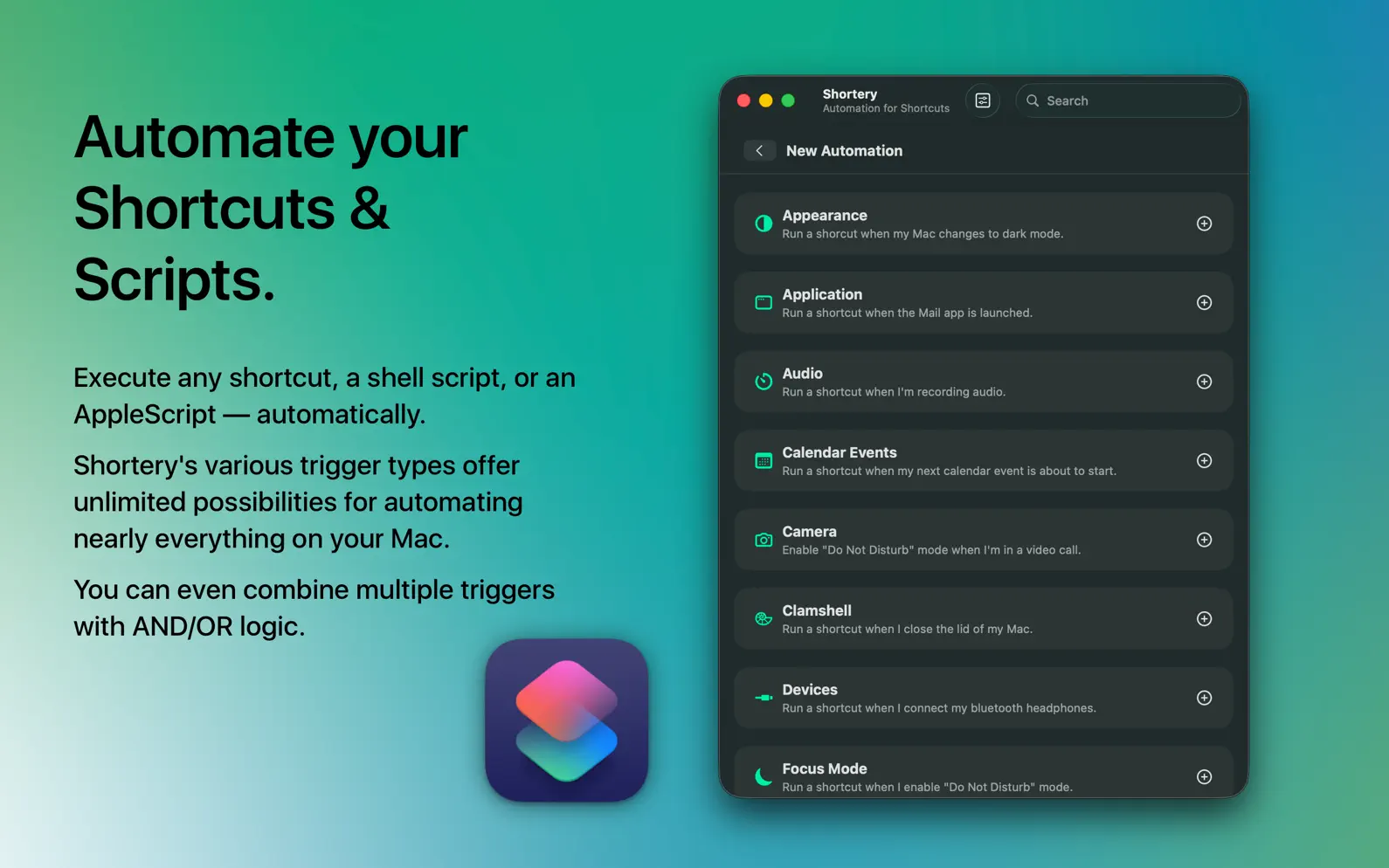


Description
Run your Shortcuts, shell scripts, or AppleScripts — automatically with Shortery. Automate your workflows without lifting a finger. Shortery lets you run a Shortcut, a shell script, or an AppleScript automatically in response to system events, schedules, and context changes on your Mac — no need to keep the Shortcuts app involved if you'd rather script it yourself. Shortcuts, scripts, or AppleScripts can be triggered by various system events and changes on your Mac: - Appearance Respond to changes between light and dark mode. - Apps React when an app is launched, quit, or becomes active or inactive. - Audio Detect when audio starts, stops, or recording begins. - Audio Route Run an action when your default audio output device changes. - Calendar Events Trigger actions when meetings start or end. - Camera Monitor when your webcam is turned on or off. - Clamshell Mode Get notified when your MacBook lid is opened or closed. - Combined Triggers Combine multiple triggers with AND/OR logic — run a shortcut only when all of them fire within a time window, or as soon as any one of them fires. - Devices Track connections and disconnections of USB, Bluetooth, headphones, external drives, or network volumes. - Focus Mode Adapt when a focus mode is enabled or disabled. - Folders Watch for changes within specific folders. - Keyboard Assign global hotkeys to trigger actions from any app. - LAN React to wired network connections or disconnections. - Login & Logout Trigger an action when you login or logout of your Mac - Monitors Handle monitor connections or disconnections. - Power Trigger based on power adapter status or low battery levels. - Screen Respond to screen lock or unlock actions. - Sunrise & Sunset Act based on local sunrise and sunset times. - Time Schedule actions to run at specific times or intervals. - Wake Up & Sleep Execute actions as your Mac wakes up or goes to sleep. - WiFi Detect changes in your WiFi connection.
Release Notes
Shortery now goes beyond Shortcuts: bring your own automation, your way. - New: Combined Triggers — combine multiple triggers with AND/OR logic, so a shortcut only runs once all of them fire within a time window, or as soon as any one of them fires. - New: Run shell, Python, or other scripts straight from Shortery — no Shortcuts app required. - New: AppleScript support — run compiled AppleScripts (.scpt/.scptd) with full control over your Mac and other apps. - Smaller bugfixes and polish
• v10.0All release notes
App Details
More By This Developer

Similar Apps


App's data is regularly updated.
Last update: