Event
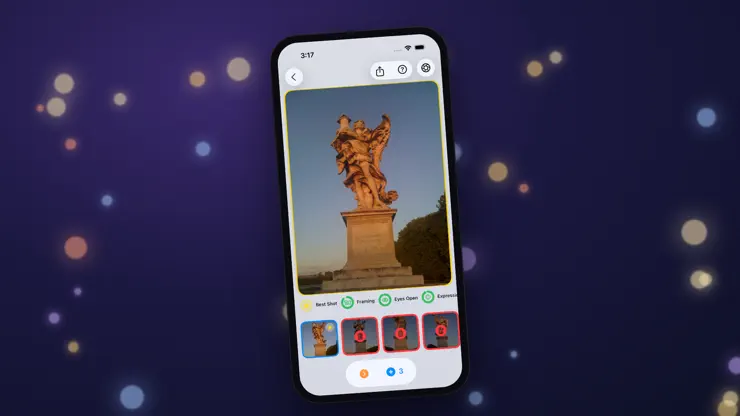
SPECIAL EVENT · Until Dec 15Make Room for Holiday PhotosUndolly finds near-identical photos, picks the best shot, and you review the rest before anything is deleted.
Screenshots



Description
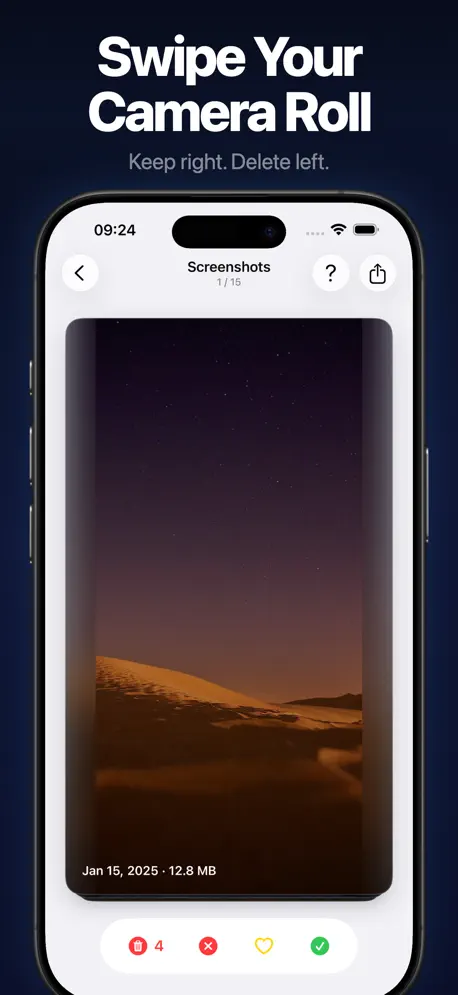
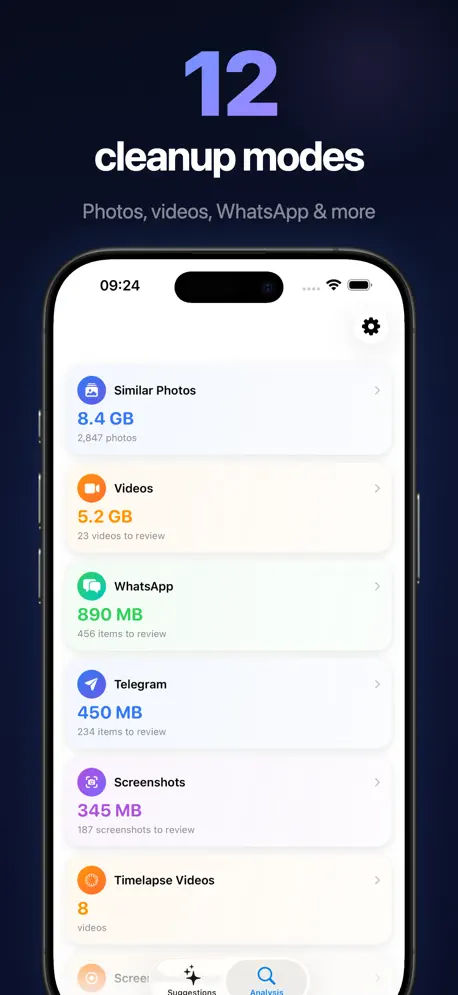
Undolly — completely redesigned. Swipe through videos and screenshots like a dating app. Compare duplicate photos side by side with AI quality scoring. Right to keep, left to delete. HOW IT WORKS Open the app. The smart home screen shows you what to clean first. Pick a mode. For duplicates, compare photos side by side — AI highlights the best shot. For everything else, swipe through cards one by one. Review your choices. Delete. Done. 13 CLEANUP MODES Similar Photos See groups of near-identical shots. AI scores each photo on 10+ quality attributes — sharpness, expression, composition, and more. Select what to keep and what to delete. Albums Clean one album at a time. Search a single album for similar photos, or swipe through everything in it. Big Videos Your largest videos as swipe cards with size and compression info. Spot videos wasting space and free up gigabytes with one swipe. Screenshots · WhatsApp · Telegram · Screen Recordings Swipe through old screenshots and chat media. Card by card — quick, satisfying cleanup sessions. Panoramas · Portraits · Timelapse · Hidden · RAW · Animated Six more dedicated modes for the media types that quietly eat your storage. NARROW ANY CLEANUP Long-press a cleanup card to filter it by date range. Or clean a single day, month or album, and choose whether to find similar photos or go through everything. VIDEO COMPRESSION Detect which videos can be compressed. Queue them up and batch compress in the background. See exactly how much space you save per video. SMART HOME SCREEN Your home screen learns what needs cleaning. 20+ smart suggestion cards — photos from this day last year, videos ready for compression, recent duplicates, and more. Milestones and streaks keep you motivated. AI PHOTO ANALYSIS 10+ quality attributes per photo: sharpness, expression quality, eye detection, face cropping, subject composition, favorite status, edit history. The best shot is highlighted automatically. PRIVACY & SAFETY - 100% on-device. Nothing uploaded anywhere. - Review every selection before deleting. - Undo up to 100 actions. - No ads. No data collection. Subscription Information: - Monthly: $3.99/month - Annual: $14.99/year - Lifetime: $39.99 one-time purchase - Payment charged to iTunes account at purchase confirmation - Auto-renews unless turned off 24 hours before period ends - Manage at https://support.apple.com/en-us/HT202039 Privacy Policy: https://undolly.app/privacy-policy Terms of Use: https://undolly.app/terms-of-use
Release Notes
The next group of similar photos is ready the moment you ask for it. Undolly now gets to know your whole library once, in the background. Blurry photos: a new card finds shaky and out-of-focus shots across your library. Favorites and photos you rated are never in it. Real numbers on Home: once your library is analyzed, the Similar Photos and Blurry Photos cards show exactly how many photos are waiting and how much space they take. Wi-Fi first: the small copies Undolly needs from iCloud download over Wi-Fi, and at night while your iPhone charges. Mobile data only if you allow it. As always, every photo is analyzed on your device and nothing leaves it.
• v4.7.0All release notes
App Details
| Size | 69 MB |
|---|---|
| Initial release | |
| Price | |
| Platforms | iPhone and iPad |
| Languages | English, German, and Spanish |
| Category | Photo & Video |
| Website | undolly.app |
| Compatibility | |
|---|---|
| iPhone | Requires iOS 26.0 or later. |
| iPad | Requires iPadOS 26.0 or later. |
| Mac | Requires macOS 26.0 or later and a Mac with Apple M1 chip or later. |
| Apple Vision | Requires visionOS 26.0 or later. |
More By This Developer
Similar Apps
App's data is regularly updated.
Last update: