Event

MAJOR UPDATE · Until Nov 22Big Picture, Pockity-SizedBig plans? Unfold it. Coffee run? Fold it. Either way, Pockity fits right in.
Screenshots



Description
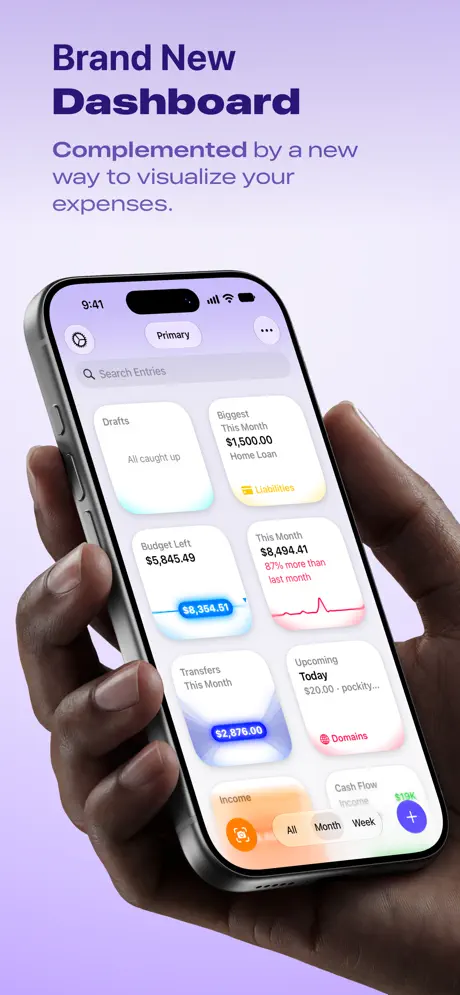
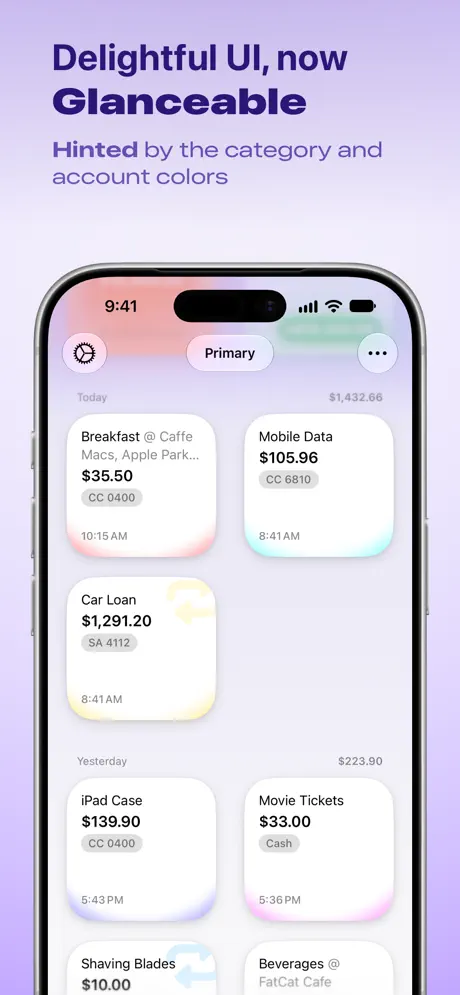
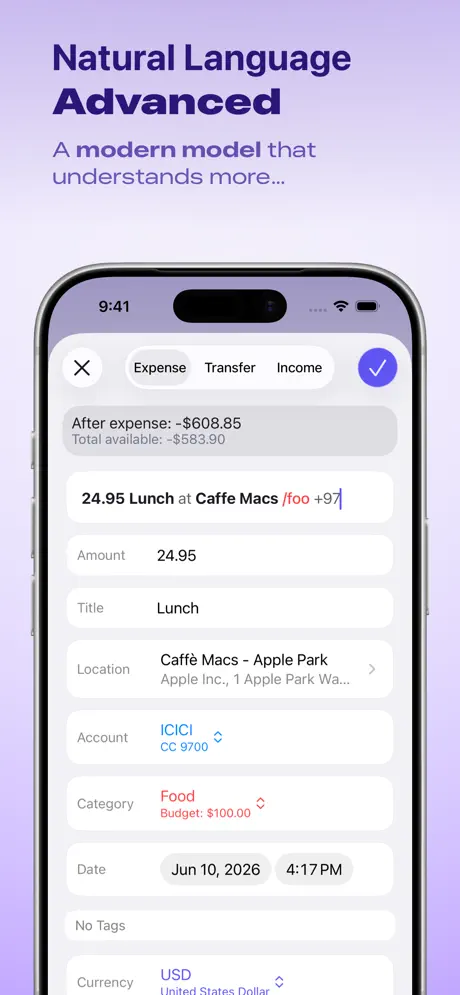
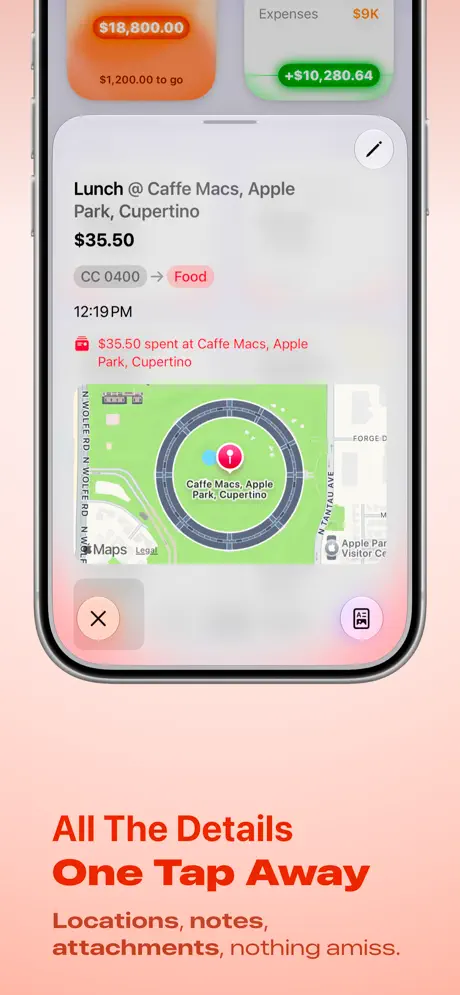
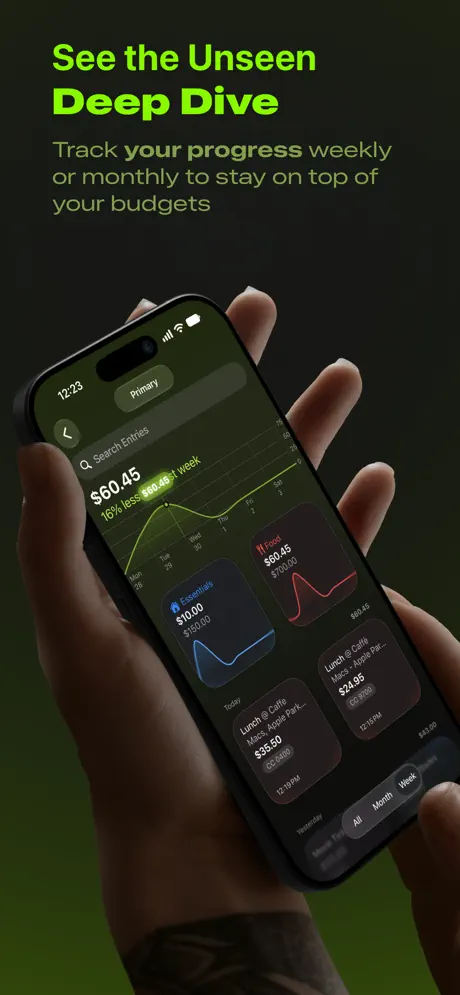
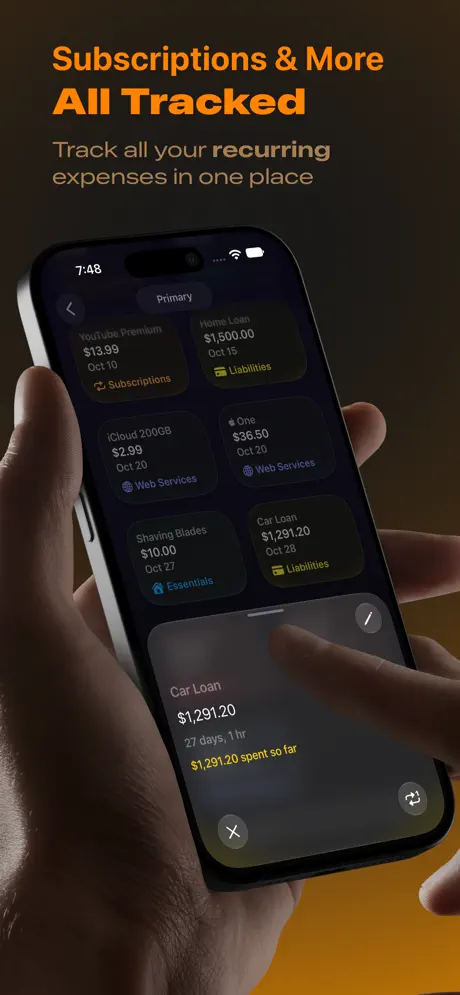
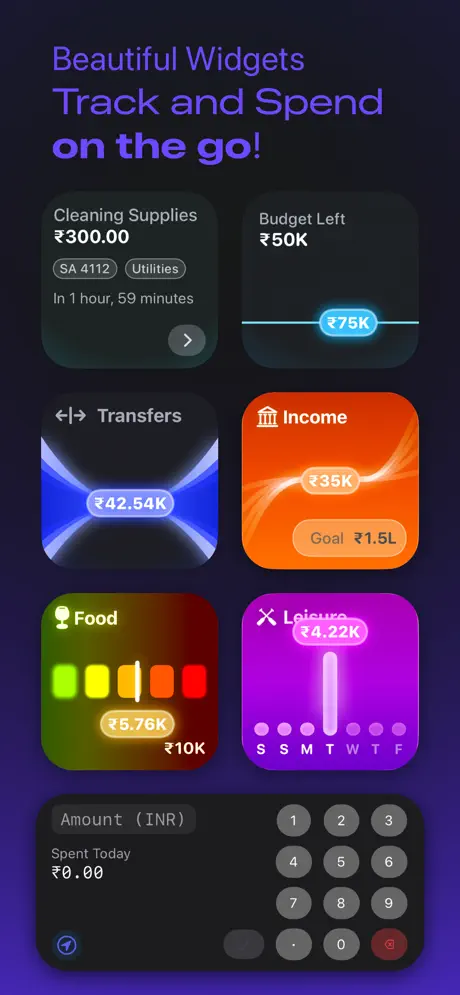
Pockity is a private, fast expense tracker and budget planner for iPhone, iPad, Mac, and Apple Watch. Log a purchase in seconds, see where every budget stands at a glance, and keep your records on your own devices. YOUR DATA STAYS YOURS Entries live on your device and sync only through your own iCloud account. No bank logins, no ads, and no account to create. TRACK IN SECONDS • Add expenses, income, transfers, and reimbursements from the app, a widget, Siri, or a Shortcut. • Smart Add Expense turns a bank or card message into a ready-to-save draft, with the amount, currency, category, and time filled in. • Scan a receipt to create an entry, or attach receipts and PDFs to any entry. • Recurring expenses add themselves on schedule, with a reminder the day before. BUDGETS YOU CAN READ AT A GLANCE • Weekly or monthly budgets per category, with budget rings that turn red when you go over. • Home screen cards for Budget Left, Cash Flow, Income, Upcoming bills, and your Biggest Spend. • Sankey and spending charts show where the money went. • Lock Screen and Home Screen widgets keep today's total in view. FIND ANYTHING • Search in your own words, in the app, from Siri, or from Spotlight: "coffee last week", "Uber in March". • Tags, categories, accounts, and ledgers keep everything organised. BUILT FOR APPLE DEVICES • iPhone, iPad, Mac, and Apple Watch, with fast iCloud sync between them. • iPad multi-window, Stage Manager, keyboard, and trackpad support. • Dynamic Type, VoiceOver, and Dark Mode throughout. • Localised in more than 20 languages. MORE • Convert between currencies, with rates refreshed three times a day. • Automatic backups, plus CSV and JSON export. • Share a ledger with your family with Pockity+ for Family. PRICING Pockity is free to download. Pockity+ is a one-time purchase, not a subscription. It unlocks multiple accounts, categories, ledgers, and recurring entries. Pockity+ for iOS and Pockity+ for macOS are separate purchases. Privacy: https://pockity.app/privacy/ Terms: https://pockity.app/terms/
Release Notes
New - Handoff works between Pockity on your iPhone or iPad and on your Mac. The screen you're on, an open entry, or a new expense you're typing continues on the other device. - Choose how accounts show in lists, menus and widgets: by name, by the last four digits of the account number, or by the short code. Find it in Settings › Entries. Apple Watch follows your choice. - Settings › Defaults › Default Ledger now works. New entries, scans and links go to the ledger you choose. Improvements - With two Pockity windows on iPad, each window works on its own. Menu commands, keyboard shortcuts and Undo act in the window you are using. - New Category and Edit Category open ready to edit, and the checkmark stays off until there is a change to save. - Archived ledgers, and ledgers shared with you without permission to edit, can no longer be changed by mistake. - Remember Last Used now works in New Entry, and on iPad with a trackpad, holding the pointer over an account's chart shows each category's amount. Fixes - Recurring items now save every change to how often they repeat, repeat at the right time and on the right weekday, and keep their end date. - A repeat you set in New Entry is now saved with the entry, and moving a new entry to another ledger keeps its amount, currency and your changes. - Setup no longer makes two Primary ledgers on a quick second tap, and no longer closes by itself while you choose your goals. - Edit Ledger and Edit Account no longer undo changes made meanwhile, and an expense from Apple Watch is no longer saved twice. - iCloud sync now sets up on a device where a widget or a shortcut opened Pockity's data first, and Pockity keeps merging changes from iCloud while it is open. - Notification settings, Show Total and Spotlight now take effect at once, and deleting an attachment now removes its file. See the full list of changes at https://pockity.app/releases/
• v2026.11.0All release notes
App Details
| Size | 57.8 MB |
|---|---|
| Initial release | |
| Price | |
| Platforms | Mac, Apple Watch, iPhone, and iPad |
| Languages | Arabic, Bengali, Dutch, English, French, German, Gujarati, Hindi, and 15 more |
| Category | Finance |
| Website | pockity.app |
| Compatibility | |
|---|---|
| iPhone | Requires iOS 26.0 or later. |
| iPad | Requires iPadOS 26.0 or later. |
| Mac | Requires macOS 26.0 or later. |
| Apple Watch | Requires watchOS 26.0 or later. |
More By This Developer

Similar Apps

Expenses: Spending Tracker
Bill & Subscription Manager
Fin: Budget Planner App
Money & Spending Tracker

Finance Tracker - Accountit
Monthly budget planner
SpendLists: Income Tracker
Simple Budget & Expense Log
Budgito - Expense & Budget
Manage your personal finances
ToSpend: Expense Tracker
Only the expenses that matter
App's data is regularly updated.
Last update: