 TestFlight (Full)
Event
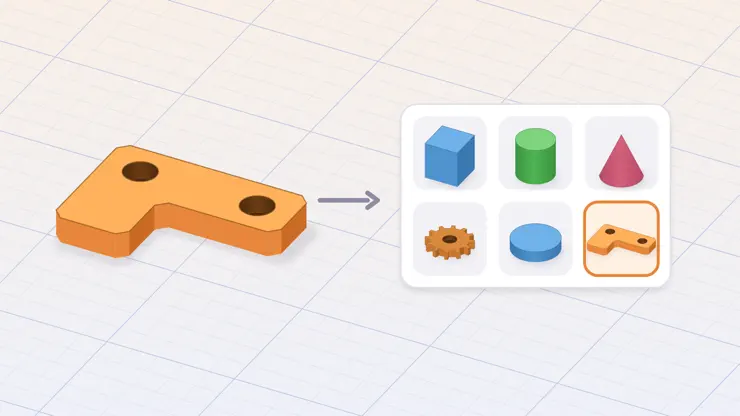
MAJOR UPDATE · Until Dec 10Your Shapes, Every ProjectNew in 1.4: save an object you made to the Catalog and place it in any project later, like a built-in shape.
Screenshots




Description
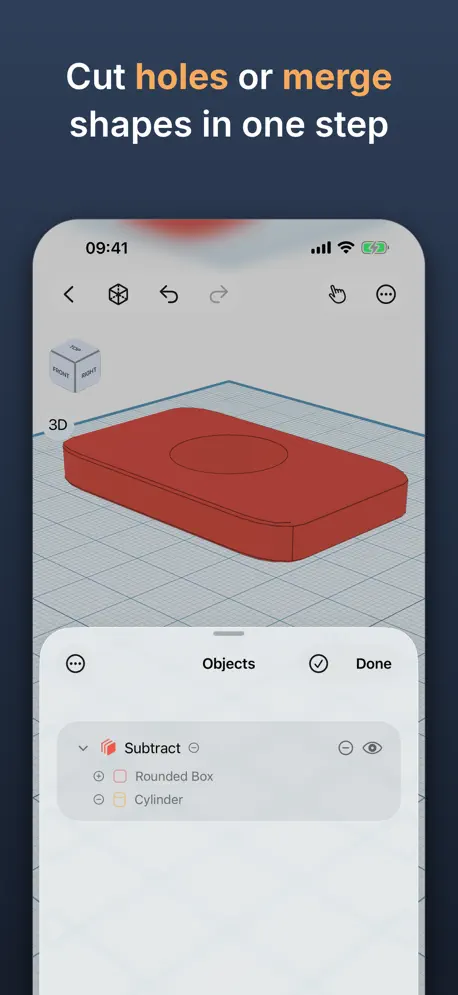
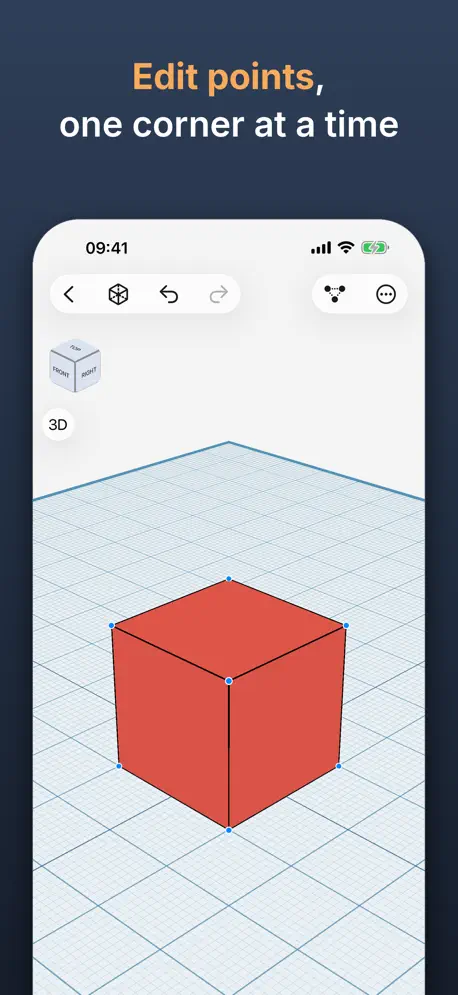
Shapely 3D is a fast, native 3D modeling app built for iPad, iPhone and Mac — sketch, sculpt, and export real 3D models with just your finger or Apple Pencil. Build scenes from simple primitives, then move, rotate, and scale them with an on-screen gizmo. Snap to a configurable grid, measure distances as you work, and use the orientation cube to jump straight to any view. Shapely 3D saves your work as a native document you can open again anytime, right where you left off. Before you print, tap View in Room to see the model on your desk at its actual size, through the camera, or export a USDZ for Quick Look and any USD tool. Apple Pencil Pro's squeeze switches sketch modes mid-drawing and hover shows where the next shape will land. Every project is in Spotlight, Siri and Shortcuts. Widgets keep your recent projects on the Home Screen and Lock Screen, one tap away. Shapely 3D Pro unlocks: • Combine shapes — merge, subtract, and intersect them to build more complex forms • STL export — send your models straight to a 3D printer or another CAD tool • Sketch & Extrude — draw a 2D profile and pull it into a solid • Smoothing — round any object with adjustable, non-destructive subdivision • Cut tool — slice objects apart along a face or a drawn line • Edit Faces — move, extrude, and reshape the individual faces of any object, and give any face a color of its own • Repair — find the holes, stray faces, and inside-out faces a slicer would trip on, see them in red, and fix them before you export • My Objects — save any object you made to the catalog and place it in any later project like a built-in shape; three are free, Pro removes the limit Pro is also ad-free: no ads on the Projects screen. Whether you're prototyping a part, teaching geometry, or just enjoy building things in 3D, Shapely 3D keeps the fundamentals simple and gets out of your way.
Release Notes
Shapely 3D 1.4.2 is what happens when we read our own code slowly. One small new thing, and a long list of fixes for bugs you may never have met. We'd like to keep it that way. NEW - An empty projects home now has a Create Your First Project button, right in the middle of the screen. No more hunting for the plus in the toolbar. FASTER - The projects home and the My Objects shelf stay smooth however many items they hold. We used to decode every preview again on every redraw. Once is enough. FIXED - Opening a project or a saved object from Files, AirDrop or Mail now works from the projects home, and when the app wasn't running. It used to do nothing unless a project was already open. Not our warmest welcome. - A decimal typed with a period in a language that writes it with a comma (Italian, German, French, Spanish and others) is read correctly in the ruler's distance field and the pen sketch's height, where 12.75 used to become 1275. Every number field now takes both. A hundred times bigger was never the plan. - On an object with per-face colors, a point added in Edit Points lands where you put it, and the ruler snaps to the face you are pointing at. Both used to aim at a different part of the object. - Typing a name in the inspector, or dragging in the color picker, is now one undo step. Every letter and every shade used to be its own, so Undo seemed to do nothing. It was just being thorough. - Fixed a crash in the Pen Sketch sheet when tapping Clear or Undo Point while a finger or the Pencil was still drawing. - An Undo pressed while a change was still being computed is no longer overwritten when that change finishes. The late result is discarded, with a note in the status bar. Undo means undo. - Sharing or saving a project from its card includes the edit you made a moment ago in another window, and an STL sent from a card is checked for print problems, like every other export. - Save in... from an open project proposes the project's name instead of "Untitled", and the saved file keeps its preview. No more blank cards. - With several windows open, a file, a Spotlight result or a widget tap no longer lands in a window you already closed. Nobody was home. - A project deleted or renamed outside the app while it was closed no longer lingers in Spotlight as a result that opens nothing. - Hide and Separate in the long-press menu treat the whole selection as one step: a mixed selection is hidden instead of flipped, and one Undo takes it back. - Renaming a My Objects tile to a name that is taken now tells you so, and tiles saved without a dark preview show their shape in Dark Mode. - Separating a combined object after mirroring it keeps the pieces mirrored. Separate used to quietly put them back. - Repair and Export, chosen while another change was still being computed, no longer exports the model unrepaired. The repair waits its turn, then runs. - Fixed a crash when an object became astronomically large, for example from a mistyped text size. Text size now stops at 1000. Still plenty. Nothing moved, and there is nothing to relearn. Just more of the app doing what it said it would.
• v1.4.2All release notes
App Details
| Size | 21 MB |
|---|---|
| Initial release | |
| Price | |
| Platforms | Mac, iPhone, and iPad |
| Languages | English, French, German, Hindi, Indonesian, Italian, Japanese, Korean, and 4 more |
| Category | Graphics & Design |
| Website | shapely3d.com/en |
| Compatibility | |
|---|---|
| iPhone | Requires iOS 26.0 or later. |
| iPad | Requires iPadOS 26.0 or later. |
| Mac | Requires macOS 26.0 or later. |
| Apple Vision | Requires visionOS 26.0 or later. |
Similar Apps





App's data is regularly updated.
Last update: