
Screenshots



Description
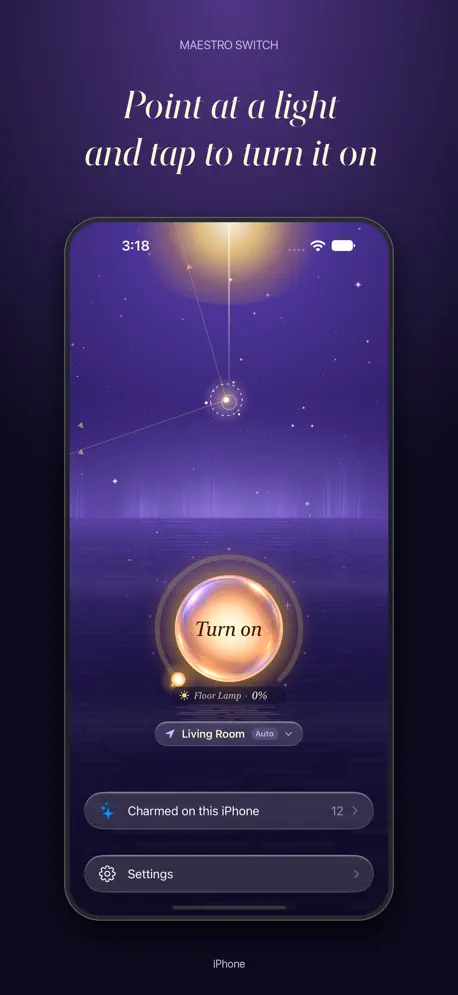
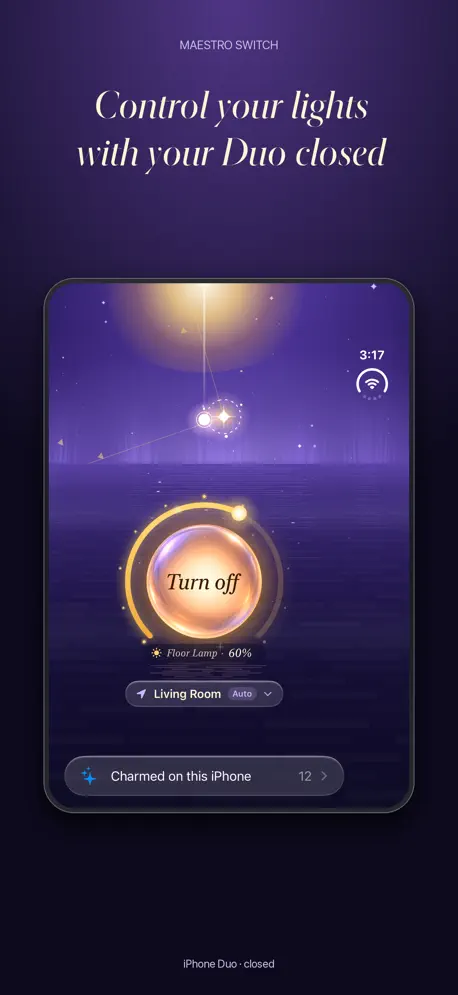
Point the top of your iPhone at a light and tap the orb to switch it on or off. Maestro Switch turns your phone into a wand for Apple Home and Home Assistant. Skip the scrolling You shouldn't need a tour of your Home Assistant dashboard or the Home app just to turn on a light. Point at what you want to control and tap. Share the magic. Take the credit. You built an epic Home Assistant setup. Now your family can use it without learning your dashboards. Set up Maestro on each phone and teach it the devices. They get to point and tap. You get the glory. Charm your lights Point at a device, hold the orb until the ring fills, then choose it from your home's list. That's how you teach Maestro where it is. It works with fans and TVs too. Stop hunting for the remote Point at your TV to bring up its controls around the orb. Adjust the volume, and use remote buttons on compatible TVs. The remote can stay between the cushions. Dim the lights. Raise the blinds. Point at a different device and the controls change with it. Adjust brightness, blinds or temperature around the orb. Locks and garage doors need a second tap to confirm. A room full of stars Each device you teach becomes a star. Each room gets its own constellation. Pick a sky to match your mood. Still learning Maestro can pick the wrong device or room, especially at first. Tap the right one to help it learn. It uses your pointing direction and nearby Bluetooth signals to work out the room. On Apple Watch, it's a snap Point your arm and snap your fingers, or tap two fingers together. The watch learns its own directions and can work without your iPhone once connected to your home service. Open it from Control Center, the Lock Screen or the Action button on iOS 18 or later. Try the demo house even without a smart home. Free and Unlimited One device in one room is free. Maestro Unlimited is a one-time purchase for more devices and rooms, five more skies, webhooks, and extra snap effects, sounds and app icons. Before you start Needs iOS 17 or later. The watch app needs Apple Watch Series 5 or later, including SE and Ultra. Home Assistant needs an administrator account to read your devices and areas. Nothing is installed on your server. Privacy Recognition runs on your iPhone and watch. The watch backs up what it learned to your iPhone. There's no Maestro account and no advertising or analytics SDKs. If you send a support report, we receive your message and any diagnostics you include. https://maestroswitch.com/privacy.html
Release Notes
Maestro Snap is now Maestro Switch. Your iPhone is in on the magic. - Point and tap to switch a device. Hold the orb to teach it. - Adjust lights, blinds, thermostats and TVs around the orb. - Your devices become stars. Unlimited adds five more skies. - Open Maestro from Control Center, the Lock Screen or the Action button on iOS 18 or later. - Painting on Apple Watch is now called charming, with a new look.
• v2.0.1All release notes
App Details
| Size | 150.8 MB |
|---|---|
| Initial release | |
| Price | |
| Platforms | Apple Watch and iPhone |
| Languages | Dutch, English, French, German, Italian, Japanese, Korean, Polish, and 5 more |
| Category | Utilities |
| Website | maestroswitch.com |
| Compatibility | |
|---|---|
| iPhone | Requires iOS 17.0 or later. |
| Mac | Requires macOS 14.0 or later and a Mac with Apple M1 chip or later. |
| Apple Vision | Requires visionOS 1.0 or later. |
| Apple Watch | Requires watchOS 10.0 or later. |
Similar Apps
Controller for HomeKit
Your Smart Home Companion

HomeLights for HomeKit
Remote & Widgets for Lights

Home Widget for HomeKit · HW
Widgets from the Home app
HomePad: Elegant Home Control
Your home, your screens
HomeRun 2 for HomeKit
Quick Home Actions Anywhere
Duo Trackpad - Touch Control
Trackpad, gestures & shortcuts
App's data is regularly updated.
Last update: