IconSwapper is an icon studio for your Dock. Shape any app icon with artwork and shaders, then bring it to life with motion and real-time data.
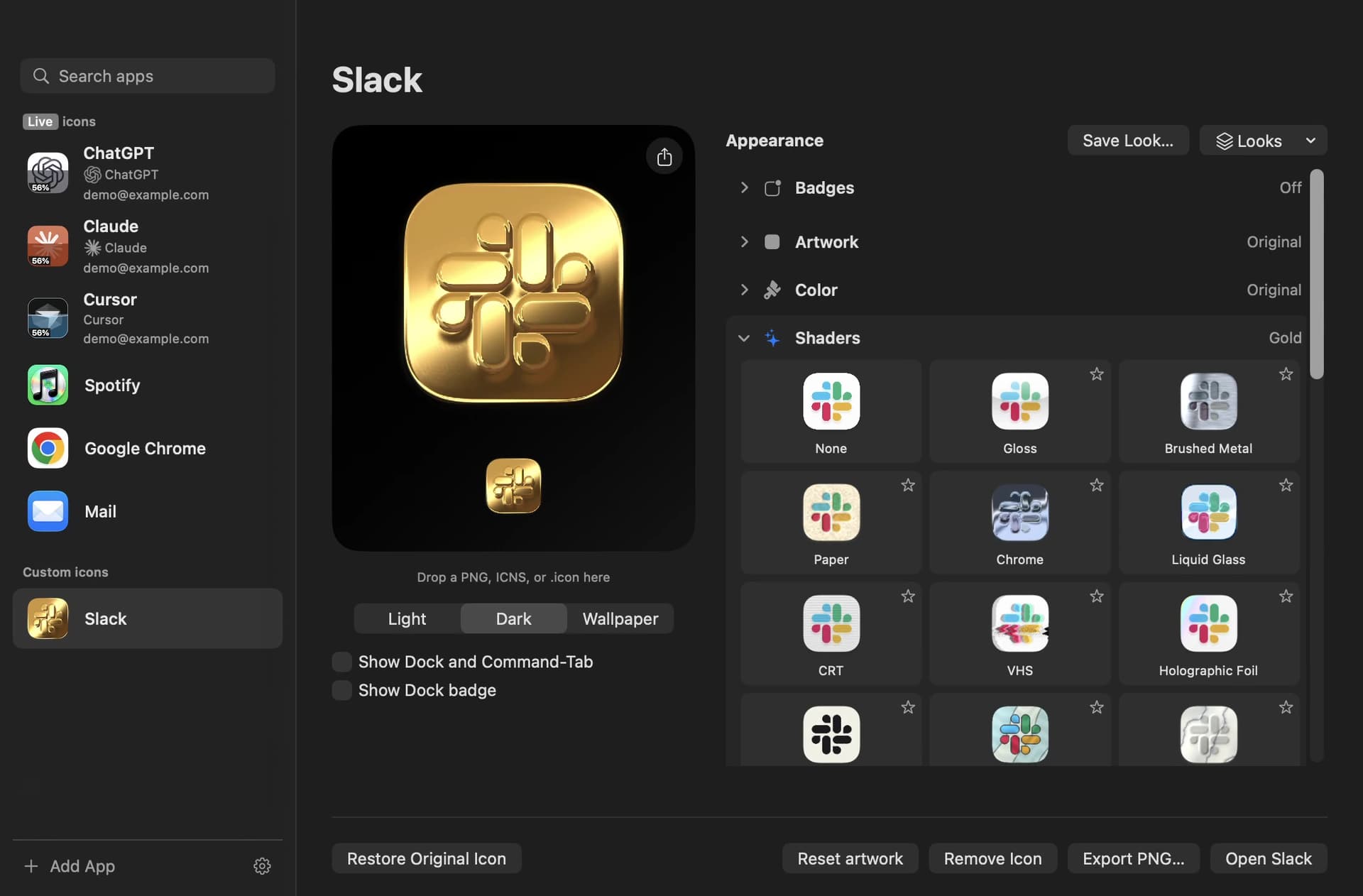
Start with an app's own icon, drop in an image, or search thousands of community icons by app name. Recolor the artwork, add a shader, then drag each decoration into place. Your designs appear in the Dock and the Command-Tab app switcher.
- Make an icon your own: import PNG, ICNS, or Icon Composer artwork, adjust colors, and add an emblem.
- Give it a material: Gold, Liquid Glass, Holographic Foil, VHS, CRT, Brushed Metal, Neon Sign, and more, with adjustable strength and motion.
- Dress it up: add eyes, string lights, pine sprigs, snow globes, confetti, and other decorations.
- Make unread counts visible: badge effects like fire, sunlight, a wax seal, or a glint react to the count you choose.
- Save and share: reuse Saved Looks, browse icon sets from independent designers and Iconstagram, or export icon cards and short films.
Live Icons add activity from the app itself:
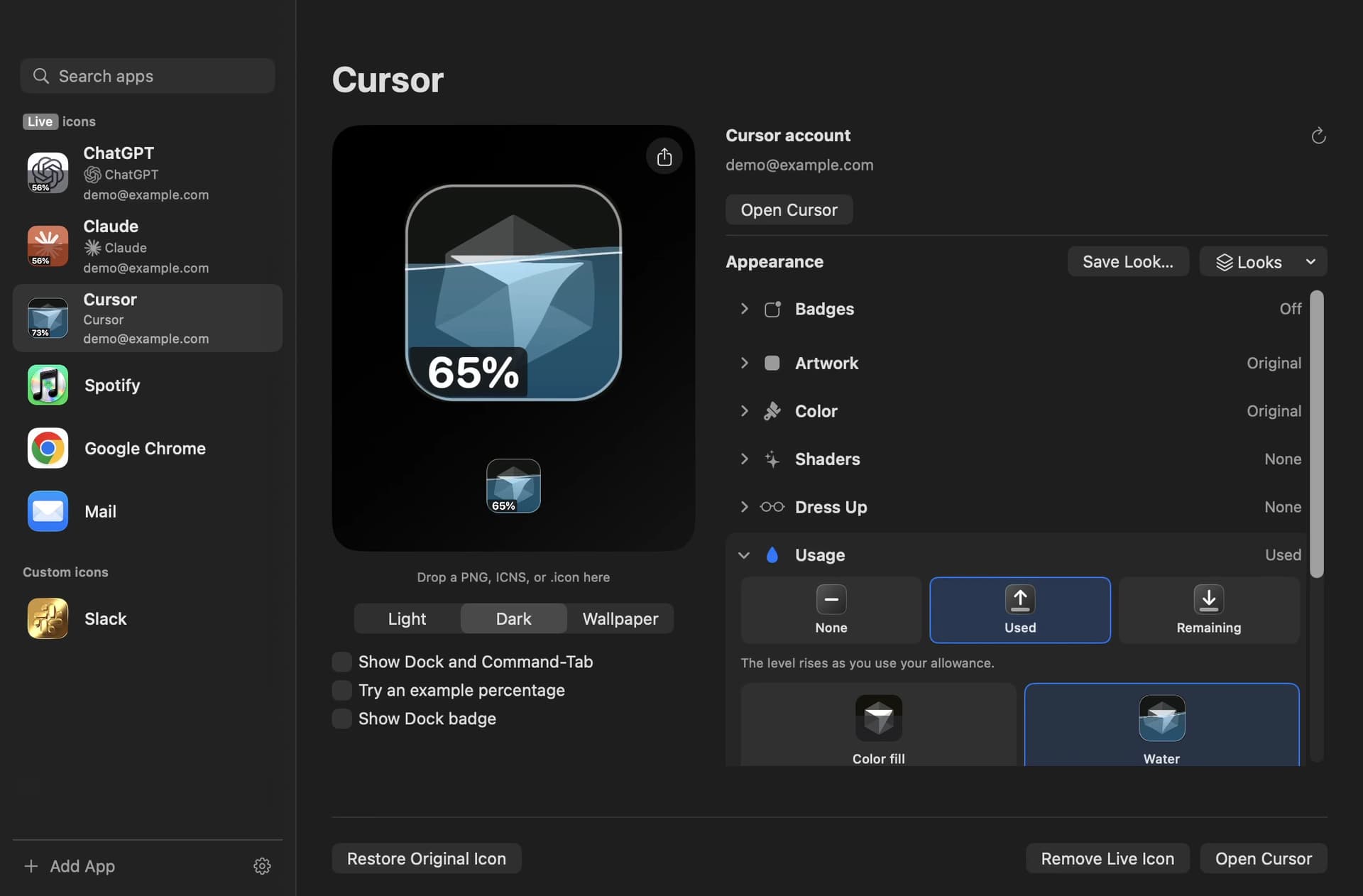
- ChatGPT, Claude, and Cursor show your usage allowance and animate while the assistant is working.
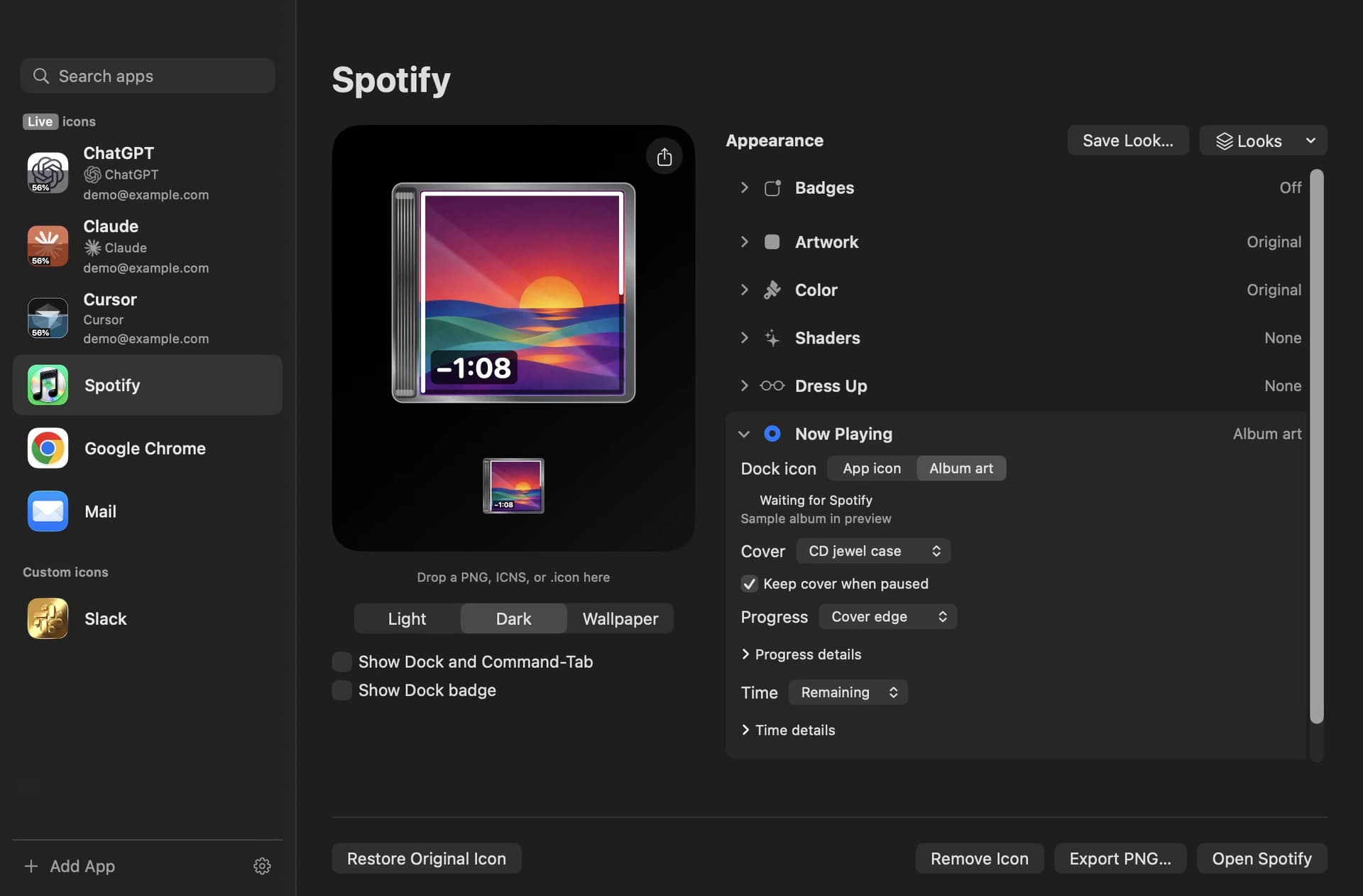
- Apple Music and Spotify show the current album artwork as a spinning record, jewel case, or prismatic CD with track progress.
- Finder gets eyes that follow your pointer and concentrate during file copies.
- Safari's compass needle winds up as a page loads, and Chrome's disc spins while a tab loads.
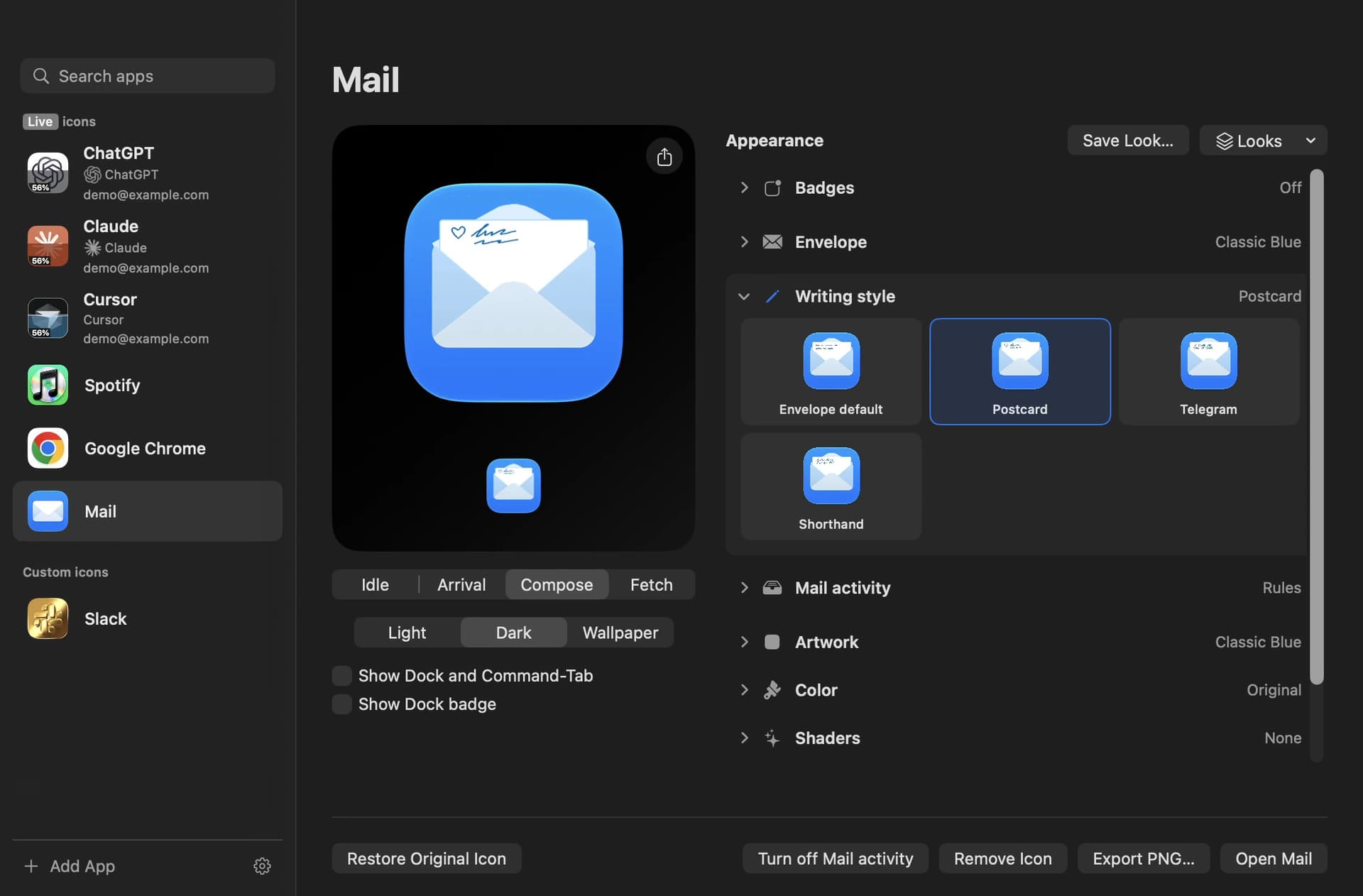
- Mail's envelope opens as you write, and Messages shows typing activity in a conversation.
One-time purchase. A license activates up to three Macs. Made by Michael Flarup, author of The App Icon Books.
IconSwapper 1.2.1
• 🖥️Steadier Dock artwork
Custom artwork stays registered when you switch desktops. On Apple silicon Macs running macOS 27.2.1 build 26B131, supported icons can draw directly in the Dock and scale with magnification.
• ✨Sharper badge effects in Command-Tab
Mail activity and Dock badge effects stay sharp above the macOS 27 app switcher blur.
• 💬More reliable AI usage
Cursor reads model quotas from Spending and shows the right account glyph. Claude and Cursor keep showing valid usage during background refreshes, with less work while Live Icons are idle.
• 🎵Preview the album that’s playing
Shaders and Dress Up use the current album cover and Now Playing style for Spotify and Apple Music.
• 🛠️Small fixes in the editor
Finder’s Character Library keeps the add button in view. Chrome explains when Compatibility Rendering needs Accessibility access.
IconSwapper 1.2
• 💬Connect AI usage
Connect Claude and Cursor usage through their dashboards. ChatGPT reads usage through the installed Codex app server.
• 🖥️Make room in your Dock
Keep IconSwapper in the menu bar and close the editor while your Live Icons keep working.
• 🎨See your icon collection up close
The App Icons panel in Settings has larger previews, a shelf for earned icons, and progress toward each unlock.
• 💬Fine-tune AI Live Icons
Usage labels appear sooner on hover. Liquid fills follow your artwork, Plus Darker joins the blend modes, and None keeps the icon still while your assistant thinks.
• ✨Smoother Dock effects
Finder Live Face draws directly on supported Dock tiles. Badge effects follow the Dock as it slides away, and Water finishes its loop when your assistant starts thinking again.
• 🛠️Small fixes
Idle animations do less work, and typing bubbles use the right colors on the dark Messages icon.