Screenshots




Description
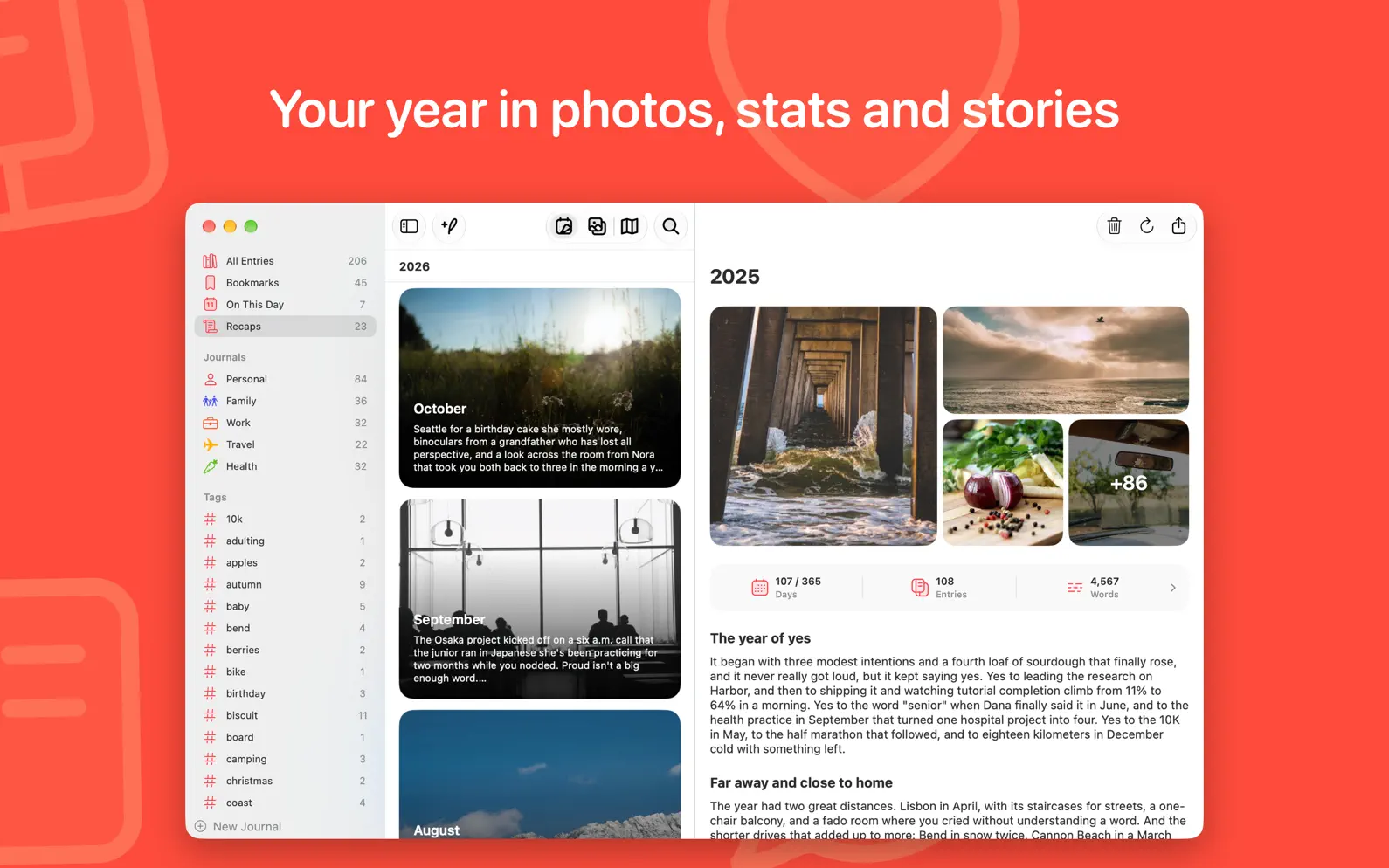
Everlog is a calm, private journal for everything worth remembering: your thoughts, photos, places, moods and workouts, together in one place on iPhone, iPad and Mac. Open it and start writing. Everlog stays out of your way while you write, then helps you look back. Write Without Friction • A fast, distraction-free editor with Markdown formatting, checklists and highlights • Templates with fill-in fields for routines like gratitude lists or morning pages • Writing prompts, plus personal prompt ideas based on your recent entries • Tags, bookmarks, comments and full search keep everything easy to find Capture the Whole Day • Photos, Live Photos and GIFs, inline with your words or in a panel beside them • Location and weather for every entry • Songs, podcasts, workouts with their routes, places and moods from Journaling Suggestions • Voice recordings with automatic transcription, videos, PDFs and sketches Look Back • On This Day shows what you wrote on this date in past years • Recaps sum up every month and year with your photos, stats and a summary written by Apple Intelligence • Widgets for streaks, writing stats and On This Day help you keep the habit Private by Design • Lock Everlog with a passcode, Face ID or Touch ID • Your entries live on your devices and in your own iCloud, never on our servers • Encrypt your backups with a key only your devices hold • Back up to iCloud Drive or a folder of your choice, and export to JSON, PDF, text or CSV at any time At Home on Every Device • A full Mac app with multiple windows, menus and keyboard shortcuts • Designed for iPad, and for iPhone Duo both folded and unfolded • Shortcuts actions, Lock Screen widgets, Control Center controls and Spotlight search Bring Your Journal With You Import from nine other journaling apps, or from Markdown and text files. Your entries keep their dates, and photos and tags come along wherever the other app exports them. Everlog Premium Everlog is free to use, with no limit on entries. Premium adds iCloud sync across all your devices, unlimited journals, automatic backups, video, audio, PDFs, sketches, weather, extra fonts and alternate app icons. Privacy Policy: https://everlog.app/privacy Terms of Use: https://everlog.app/terms
Release Notes
- Gallery. Switch the timeline to Gallery to see the photos and videos in your entries in a grid, grouped by month, like Photos. Pinch to make them bigger or smaller, and tap one to open its entry - Map. Switch the timeline to Map to see your entries where you wrote them. Nearby entries share a pin that splits as you zoom in - Moods. Tap Add Mood in the Attach menu or the new entry button to log how you feel right now or how your day went, and save it to the Health app as State of Mind. With Premium - Assistants. Let Claude, ChatGPT, Grok or Gemini add entries for you, with photos, tags, a mood and a place, and change the ones they added. Turn it on in Settings › Assistants and follow the steps to connect. With Premium - New calendar. The timeline's calendar is smaller and cleaner, and each day fills up as you get closer to your daily goal. Tap the month to jump to a date, or turn on Compact Calendar in Timeline settings to keep the month in the navigation bar - Handoff. Pick up the entry you're writing on your other iPhone, iPad or Mac, right where you left off. The timeline, a search or a recap you're reading hand off too - Edit many entries at once. Select entries in the timeline and tap Edit Tags to add or remove tags on all of them, or More to pin them, give them a location, copy, export or delete them - Storage. See how much space Everlog uses on your device and in iCloud, by type and by journal, in Settings › Storage - Recaps you haven't opened yet show a dot, so you can see which ones are new - Search Places. In Add Location, places that match appear in a list as you type. Tap one to move the map there - AI prompt history. Swipe back through the For You prompts you've generated to find one again - A new bar above the keyboard. Attach, Tag, Format, Undo and Redo sit in one bar, and all formatting moves to the Format panel, now with indentation. Insert Link keeps the keyboard up while you type the address - Various bug fixes and improvements
• v3.0All release notes
App Details
| Size | 221.6 MB |
|---|---|
| Initial release | |
| Price | |
| Platforms | Mac, iPhone, Apple Vision, and iPad |
| Languages | Dutch, English, French, German, Italian, Japanese, Korean, Portuguese, and 3 more |
| Category | Lifestyle |
| Website | everlog.app |
| Compatibility | |
|---|---|
| iPhone | Requires iOS 15.6 or later. |
| iPad | Requires iPadOS 15.6 or later. |
| Mac | Requires macOS 12.5 or later. |
| Apple Vision | Requires visionOS 1.0 or later. |
More By This Developer
Similar Apps
App's data is regularly updated.
Last update: